

Running performance reviews
Set up what people are measured on, launch a review cycle, track completion, and close it out.
What you can do here
- Define what people are measured on, as KRA templates with KPIs underneath.
- Create a review cycle and launch it, which generates everyone's reviews.
- Watch completion as it fills in, and close the cycle when it's done.
Do this first: KRA templates
A cycle generates reviews from your KRA templates, so it's worth getting these right before you launch anything.
Each template has:
- A Name — for example Project Delivery.
- A Description.
- An optional Department and Designation. Leave them as All departments and All designations for something that applies to everyone; set them to scope a KRA to just the people it fits.
- A Weight — how much this area counts toward the overall result.
Underneath sit the KPI Indicators. Each has a Name (for example On-time delivery rate), an optional description, and a Measurement Type:
- Auto — Kaizen works the number out itself.
- Manual — somebody enters it during the review.
Getting the weights and the scoping right here is what makes the review forms sensible for each group of people.
Running a cycle
Create it
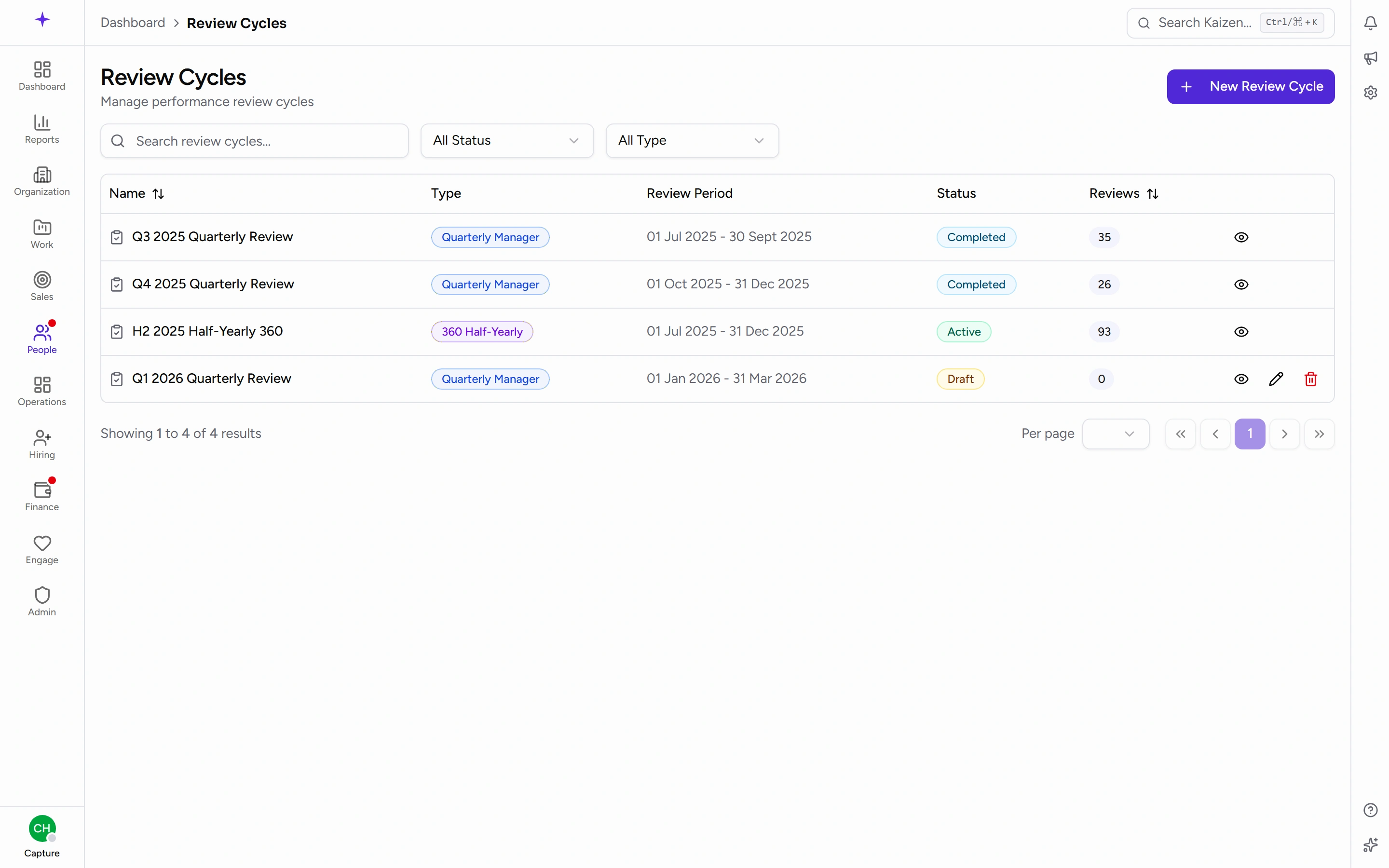
- Open Review Cycles and start a new one.
- Fill in Review Cycle Details: a Name, and a Type — Quarterly Manager Review or Half-Yearly 360 Review.
- Set the Cycle Start Date and Cycle End Date — the window in which reviews get written.
- Set the Review Period Start and Review Period End — the stretch of work being assessed. These are usually different from the cycle dates, and it's the pair people most often mix up.
- Save. It begins as a draft.
Launch it
Open the cycle and Activate it. That generates the reviews: a self review and a manager review for each eligible person, plus peer reviews if it's a 360 cycle.
Check the dates and type before you activate. Activation is what creates everyone's reviews, and it isn't something to undo casually.
Track it
The cycle's page shows Cycle Details — Created By, Cycle Period, Review Period, and Completion — over a table of every generated review with its Reviewee, Department, Reviewer, Type, Status, and Rating.
That table is your chase list: filter for what's still Pending and you know exactly who to nudge.
Close it
When the reviews are in, Complete the cycle. A cycle can also be deleted, with a confirmation.
Good to know
- Reviews are generated at activation, from the templates as they stand at that moment. Editing a KRA template afterwards doesn't rewrite reviews that already exist.
- Someone with no review usually means no template matched them — check the Department and Designation scoping on your templates.
- A 360 cycle produces considerably more reviews than a manager cycle, since everyone reviews peers as well. Expect the completion figure to move more slowly.
- Auto KPIs still show a Manual Value and a Final Value on the form, so a reviewer can override a calculated number and say why in the comments.