

Coming in late or leaving early
Tell your manager in advance that you'll arrive late or leave early on a particular day, and track whether it was approved.
What you can do here
- Give notice that you'll arrive late, or leave early, on a specific day.
- Say by how long, in minutes.
- Add a note, and name anyone else who should be told.
- Track whether it was approved, and withdraw it if your plans change.
- If you approve other people's: work through the queue and decide each one.
Where to find it
Like work-from-home, this lives on the Attendance page rather than in its own sidebar section. Open Attendance and use Partial Day Request in the Actions card.
Requests are listed under the Attendance Requests tab, on the Partial Day sub-tab, with a count of anything still pending.
Common tasks
Ask to come in late or leave early
- Open Attendance and click Partial Day Request. A panel opens headed Request Partial Day.
- Pick the day under Select Date.
- Choose Late Arrival or Leaving Early.
- Enter how long, in minutes — the label changes to match your choice, either Will come late by or Will leave early by. Anything from 1 minute up to 480 (eight hours) is accepted.
- Add a Note explaining why. Your approver reads this.
- Under Notify, add anyone else who should know.
- Click Request.
Check whether it was approved
Open Attendance → Attendance Requests → Partial Day. Each row shows its status, and you can filter by status — or by person, if you're allowed to see other people's.
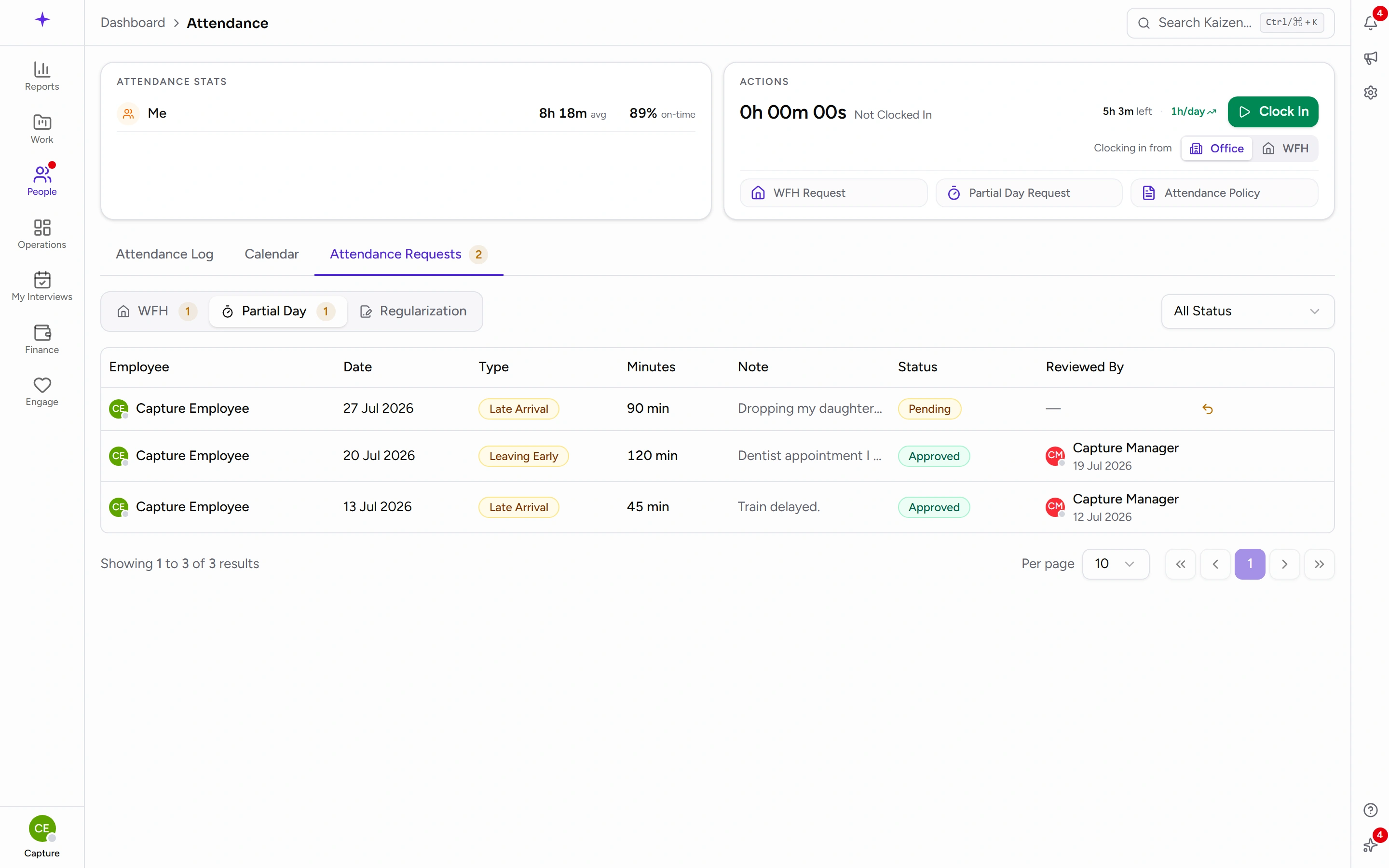
Withdraw a request
Find it on the Partial Day sub-tab and use the revoke action, then confirm at the Cancel Request prompt.
If you review other people's requests
The Partial Day sub-tab shows your team's requests with a pending count. Use the tick to approve or the cross to reject; either way you can leave Comments (optional) first. On a rejection that comment is the only explanation the person gets, so it's worth writing.
Good to know
- Partial day or half-day leave? Use a partial day when you're working most of the day and just shifting your hours by minutes or an hour or two. Use half-day leave when you're genuinely taking half the day off — that comes out of your leave balance, a partial day doesn't.
- A partial day is notice, not a correction. If the day has already happened and your recorded hours are wrong, raise an attendance regularization instead.
- You still clock in and out as normal on the day.