

Policies
Find and read company policies, download the documents, acknowledge the ones that require it, and publish new ones.
What you can do here
- Browse the company's official policies and compliance documents.
- Open one to read its details and download the file.
- Acknowledge the policies that ask you to confirm you've read them.
- If you look after policies: publish new ones, retire old ones, and see who has acknowledged what.
Where to find it
Policies opens Policy Documents. Narrow the list by category, or type into Search policies... to find one by name.
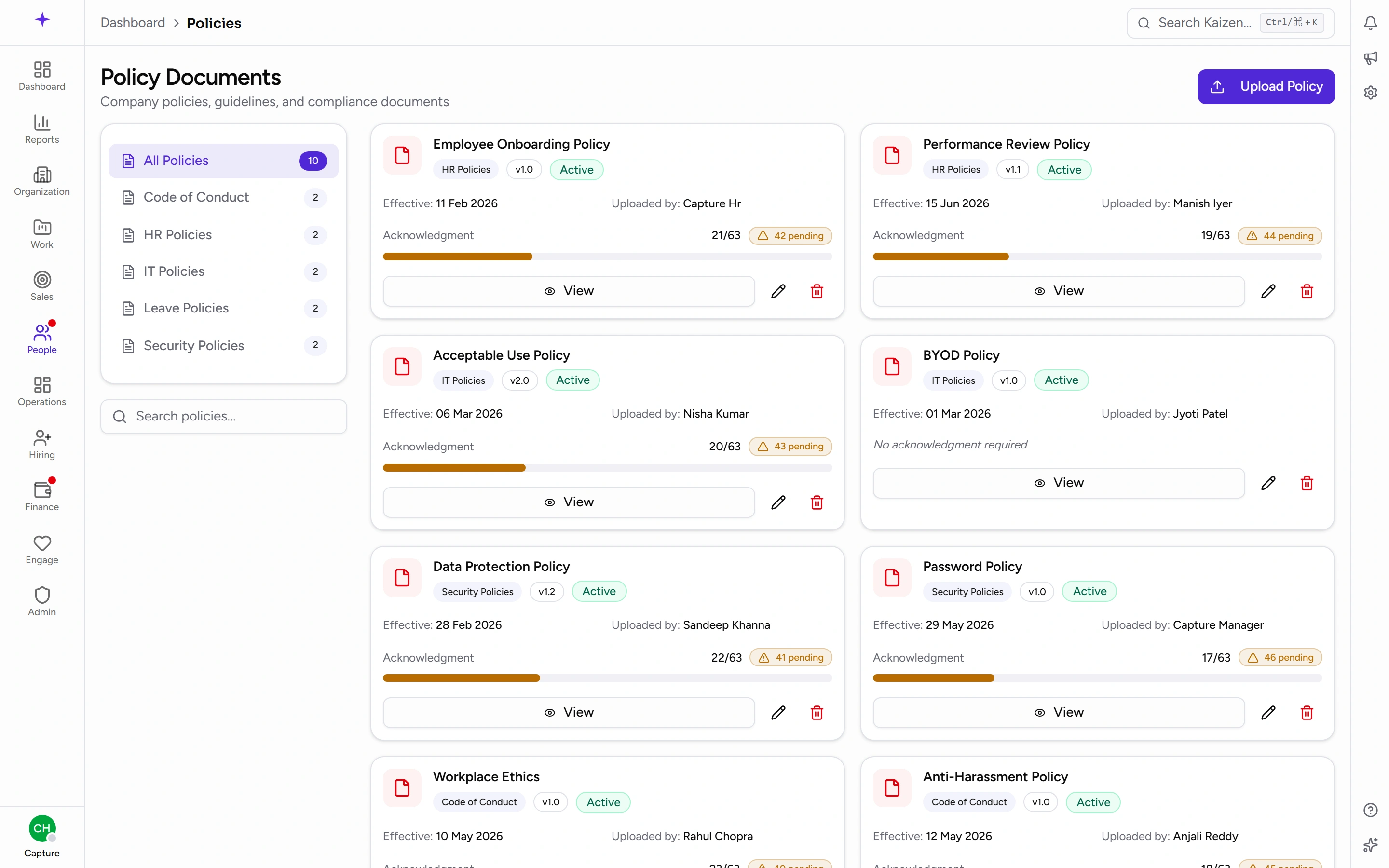
Some pages link straight here — the Attendance Policy shortcut on the attendance page, for instance, lands on this list.
Common tasks
Read a policy
Open it from the list. Its page has a Details panel with:
- Title and Category
- Version
- Effective Date — when it started applying
- Uploaded By
- Status
- Acknowledgment Required
- File
Below that is the Description. Download the attached file to read the policy in full — some policies are a description only, and show No file attached.
Acknowledge a policy
- Open the policy.
- If it needs your confirmation, an Acknowledge button is there.
- Click it. Your name and the date are recorded and it turns into an Acknowledged badge.
Once per policy is enough. A policy that doesn't ask for acknowledgement is for information only.
Check what you still owe
Open the policy and look for the button. Acknowledge means you haven't yet; Acknowledged means you're done.
There's no single "everything I still need to sign" list, so if HR has asked the company to acknowledge something, go to that policy directly.
If you publish policies
Add one
- From Policy Documents, start a new one — the form is headed Upload Policy.
- Pick a Category and give it a Title (for example Employee Leave Policy).
- Add a Description — a line or two on what it covers.
- Attach the Policy Document file.
- Set a Version (for example v1.0) and an Effective Date.
- Decide two switches: Active, and Requires Acknowledgment.
- Save.
Track acknowledgement
An individual policy's page shows Progress — how far the company has got through acknowledging it. That's how you tell whether a mandatory policy has actually landed.
Retire a policy
Turn Active off rather than deleting, so the record and its acknowledgements survive. When a policy changes materially, publishing a new Version with a fresh Effective Date is usually better than editing the old one, because acknowledgements are recorded against what people actually agreed to.
Good to know
- Categories are managed separately, so a policy always belongs to one — worth setting up before a bulk upload.
- Effective Date is when the policy applies from, not when it was uploaded. The two are often different.
- Acknowledging records that you've read it. It doesn't email anyone or start a workflow.