

Finding anything
Use global search to jump to any record — task, project, person, client, lead, invoice — or to a help answer, from anywhere.
What you can do here
- Open search from anywhere with a keystroke, without losing the page you're on.
- Find records across the whole platform in one query.
- Jump straight to a result with the keyboard.
- Open the full results page when the quick list isn't enough.
- Ask a plain-English question and get the help answer.
Opening search
- Ctrl + K, or Cmd + K on a Mac. This is the one to learn.
- Ctrl + J / Cmd + J does the same, as a fallback where the browser has already claimed Ctrl + K.
- / on its own, as long as you're not typing in a field.
Until you type anything the panel just says Start typing to begin. Results appear as you type, grouped by what they are.
What you can search for
Everything that matters as a record:
- Tasks and Projects
- People
- Clients, Leads, and Inquiries
- Invoices and invoice requests
- Job openings, candidates, and interview rounds
- Help answers
The full search page spells it out in its box: Search projects, tasks, people, clients, leads, invoices…
A lead can be found by its deal name as well as the company. Results show the deal as the headline with the company underneath — so searching for Warehouse Automation finds it, not just the company you'd have had to remember it by. A lead nobody gave a title to shows its company name instead.
Some things aren't in global search — leave requests, timesheets, and support tickets are found from their own pages, using the filters there.
Common tasks
Jump to a record
- Press Ctrl/Cmd + K.
- Type a name, a number, or a fragment — a project code, a client name, a colleague's surname.
- Move through the results with the arrow keys and press Enter, or click.
See everything that matched
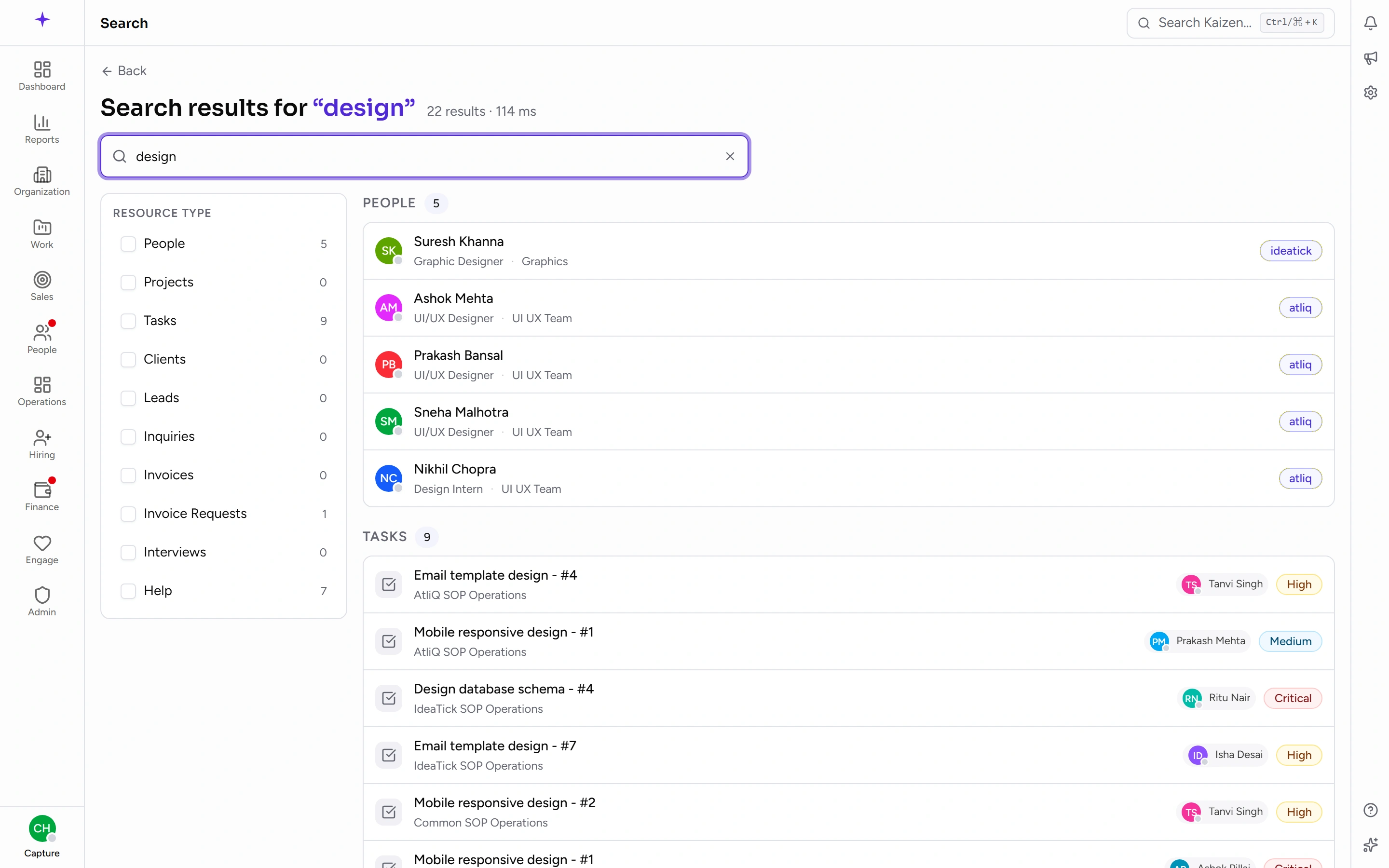
The quick panel caps how many results it shows per group so it stays readable. When you want the lot, open the full results page — it shows Search results for your query with everything, and lets you narrow to particular types.
Find a help answer
Type your question the way you'd say it — how do I apply for leave, log my hours. Matching help appears in its own group. Help answers open in the documentation site rather than in the app.
Hiring
The hiring area has its own search, scoped to candidates, job openings and interview rounds, so you can look through applicants without the rest of the company's records in the way.
Good to know
- Results respect your permissions. Search never shows you a record you wouldn't be allowed to open, which is why two people searching the same word can get different results. If a colleague can find something you can't, it's access, not a bug.
- Records appear in search as they're created and updated, so something added a moment ago is findable straight away.
- If a search comes up empty, try fewer words. Matching is on names and identifying details, so a whole sentence usually finds less than the two words that matter.