

Polls
Vote in team polls and see the results — and, if you run one, target it, chase non-voters, and export the answers.
What you can do here
- Vote in polls, single-choice or multiple-choice.
- See the counts, percentages, and turnout.
- If you run a poll: target who gets it, chase people who haven't voted, close it early, and export the answers.
Voting
Open a poll from Polls and pick your answer — one option, or several if it's a multi-select. Submit it.
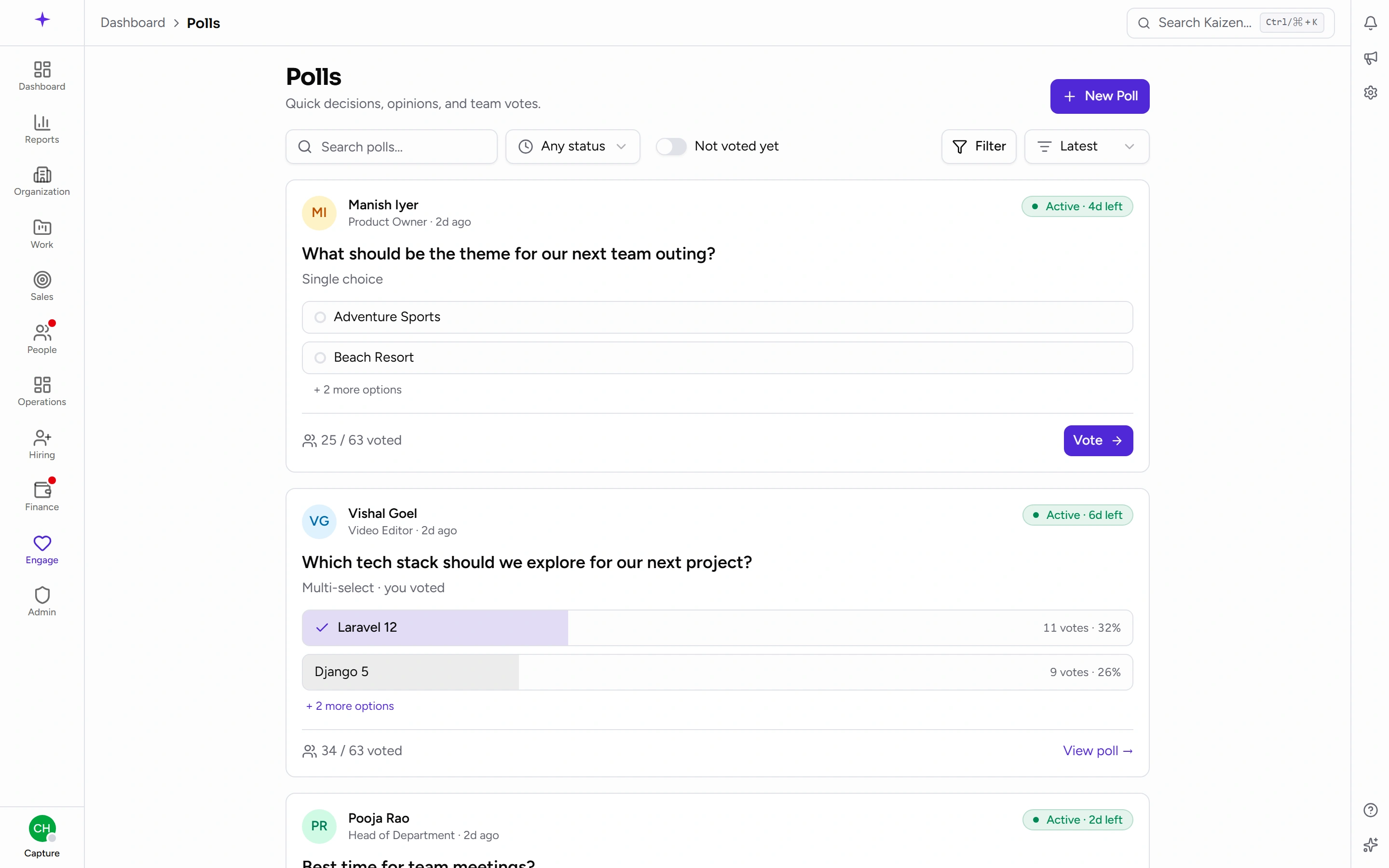
The results appear as soon as you've voted, with each option's count and percentage and the overall turnout. Your own choice is marked.
If the poll allows changes, you can reopen it and change your vote.
Who can see how you voted
Ordinary voters only ever see the totals. The person who created the poll — and anyone with the permission to manage it — can see a By voter breakdown as well as By option.
So a poll is not anonymous to whoever ran it. Worth knowing before you answer a sensitive question, and worth being honest about if you're the one asking.
Finding polls that need you
Filter for the ones you haven't voted on, or by status — Active, Closed, Draft — and sort by closing soonest.
Running a poll
Write the question, choose Single choice or Multi-select, add the options, and set when it closes.
Choose the audience the same way as an announcement: All employees, By business unit, By department, or Specific users.
Publish it, or save a draft.
While it's open
- Send a reminder to people who haven't voted yet — better than re-posting to everyone.
- Close it early once you have enough of an answer.
When it's done
Results can be exported as a CSV, which is how you get the answers into a spreadsheet for anything more involved than reading percentages.
Good to know
- A closed poll stays closed. Results are final and it can't be reopened, so set the closing date with a little room.
- Turnout is measured against the audience you targeted, not the whole company — narrowing the audience gives you a more honest participation figure.
- For telling people something rather than asking them, use an announcement.